Smart Sending is a Klaviyo setting that skips anyone who has already received a marketing message on that channel inside a set window. It’s on by default. The window is 16 hours for email, 24 hours for SMS and 24 hours for push notifications.
A skip is permanent. Klaviyo doesn’t hold the message back and deliver it later, and it doesn’t try again when the window closes. The person simply never gets that message.
That default stops you emailing the same person twice in a day by accident. It also quietly kills messages you wanted delivered, and it doesn’t tell you it did. This guide covers what it does, where it costs money, how to see exactly what it skipped, and when to turn it off.
See what your Klaviyo account is leaving on the table.
Request a free Klaviyo auditWhat is Smart Sending in Klaviyo?
Smart Sending checks, at the moment of send, whether a profile has already received a marketing message on that channel inside the window. If one arrived inside the window, that profile is skipped and never receives the message.
It’s on by default for every campaign, and it’s already switched on inside many of Klaviyo’s pre-built flows, which is where most people meet it without knowing they have. Klaviyo documents the settings here.
How does Smart Sending work?
Four things happen, in this order, and the order is what people get wrong:
- Klaviyo looks at the profile you are about to message.
- It checks whether that profile received a marketing message on the same channel inside the window.
- If one did, the send is skipped and a Skipped Send event is written against the profile.
- Nothing is rescheduled. The message isn’t queued, isn’t retried, and doesn’t turn up later.
Transactional messages sit outside all of it. An order confirmation is never skipped, and receiving one doesn’t start or extend anybody’s window.
What are the default Smart Sending windows?
Each channel has its own window and they run independently. An email doesn’t block an SMS an hour later, because the two windows never look at each other.
| Channel | Default window | Where you change it |
|---|---|---|
| 16 hours | Settings > Email > Sending preferences | |
| SMS | 24 hours | Settings > SMS > Sending preferences |
| Push notifications | 24 hours | Settings > Push notifications |
For SMS you can set different windows for campaigns and for flows. Email and push take one window each.
One thing to know before you change any of them: the change isn’t retroactive. Drop email from 16 hours to 10 and everybody who already received a send under the old setting stays blocked for the full 16.
Does Smart Sending delay messages or skip them?
It skips them. This is the single most expensive misunderstanding about the feature, because people assume a blocked message turns up later and it never does.
For a campaign you can resend to the people who were skipped, but nobody does it for you. For SMS and push there’s no automatic resend at all, so reaching those people means building a segment and sending again with Smart Sending off.
Inside a flow it’s worse, because nobody’s watching. The profile is skipped at that step and carries on through the rest of the flow as though the message had been sent.
Smart Sending vs Smart Send Time vs quiet hours
Three settings with similar names that do completely different things. The column that matters is the last one:
| Setting | What it decides | A blocked message is |
|---|---|---|
| Smart Sending | Whether to send at all | Skipped, permanently |
| Quiet hours (SMS flows) | Whether it is an acceptable hour to text | Delayed, then re-checked |
| Smart Send Time | Which hour each person is sent at | Scheduled, not blocked |
The quiet hours row is the one that catches people, and it catches them because the two settings compound. Klaviyo’s documentation says quiet hours are evaluated first: the message waits until texting is allowed again, and then Smart Sending is checked. If the delay pushed it inside somebody’s 24 hour SMS window, it is skipped at that point. So a message can survive quiet hours and still die.
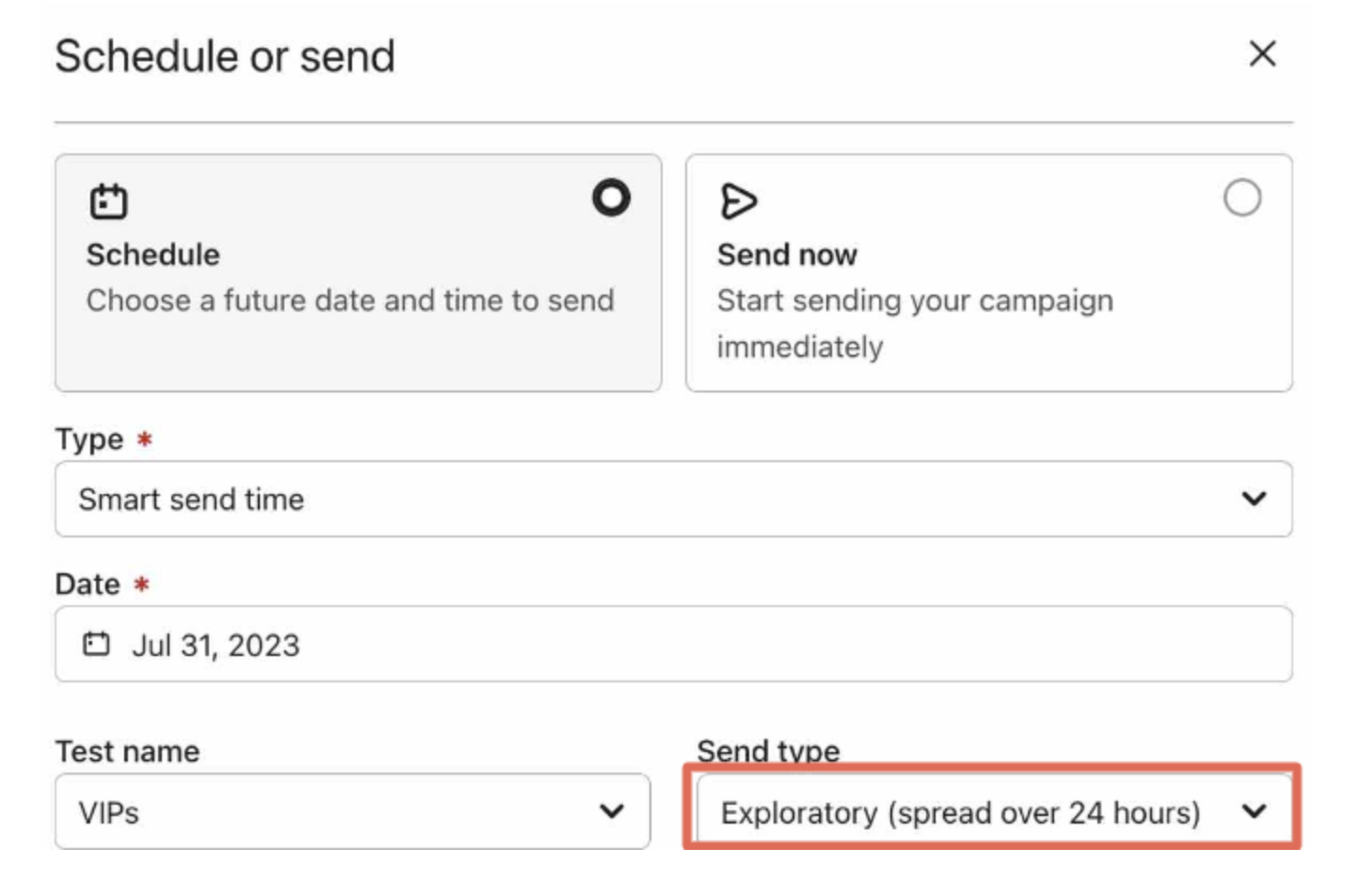
Smart Send Time is a different feature entirely. It sends to everybody and only changes the hour, picking the time each profile has historically been most likely to open. Klaviyo documents it separately.
How often does Klaviyo actually skip a send?
Nobody publishes this, so here are ours. We pulled the Skipped Send metric from 11 Klaviyo accounts we run, across the 90 days to 4 October 2026. They’re a mix of subscription and one-time ecommerce brands, and none of them is named here.
| Across 11 accounts, 90 days | |
|---|---|
| Attempted sends | 87,210,884 |
| Delivered | 84,637,032 |
| Skipped | 2,573,852 |
| Skip rate | 2.95%, about 1 in 34 |
The spread is the part worth sitting with. The lowest account skipped 0.30% of its sends. The highest skipped 4.57%. That’s a 15x difference between two brands on the same platform, which tells you the skip rate is something you configure, not something the platform does to you. Six of the 11 were above 3%. Two were under 1%.
At the median account, 3.20%, roughly one message in every 31 that Klaviyo was asked to send never arrived. Most brands have never looked at that number.
One thing this figure is not: it counts every reason Klaviyo skips a send, and Smart Sending is only one of four. Suppressed profiles, quarantined addresses and invalid addresses are in there too. We haven’t published a Smart Sending share of it, because measuring that across accounts means reading individual send records, and we’re not doing that with client data to make a marketing statistic. You can measure it in your own account in about a minute, and that’s the next section.
How do you see what Smart Sending skipped?
Most advice stops at “check the Skipped tab”, and you don’t have to leave it there, because Klaviyo writes a Skipped Send event for every skipped recipient, and that event records the reason.
Every flow message carries a Skipped count on its own card in the flow builder. That gives you the number, but not the reason:
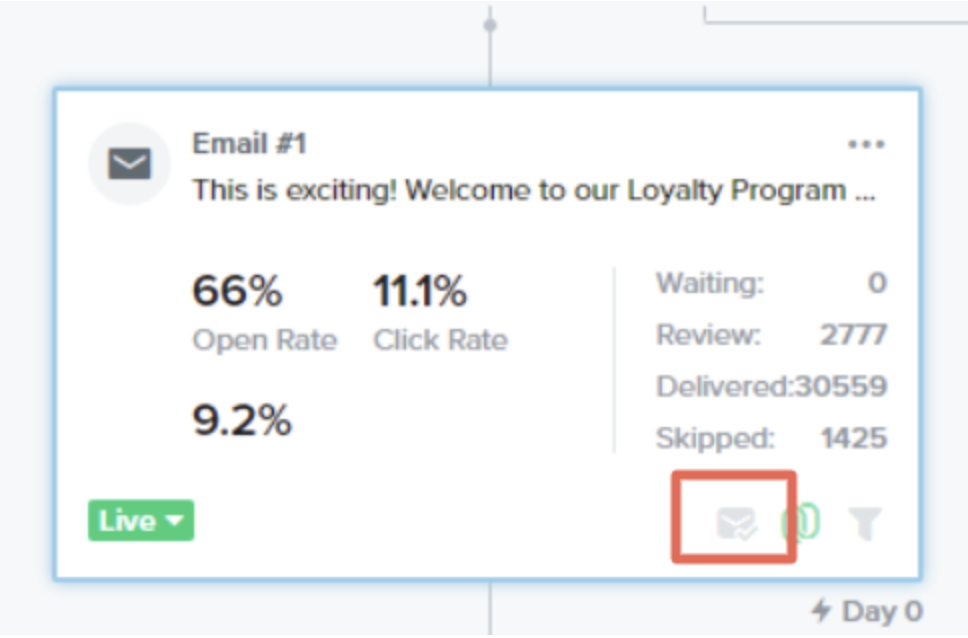
The property is recipient_status, and the value you want is NOT_SENT_THRESHOLD_VIOLATION. That’s Smart Sending. The other values on the same event are different problems wearing the same label, which is why a raw skip count overstates what Smart Sending actually cost you:
| recipient_status | id | What actually happened |
|---|---|---|
| NOT_SENT_THRESHOLD_VIOLATION | 2 | Smart Sending skipped it |
| PREVIOUSLY_SUPPRESSED | 30 | The profile was already suppressed |
| QUARANTINED_EMAIL | 32 | The address is quarantined |
| INVALID_TO_EMAIL_ADDRESS_ERROR | 35 | The address is not valid |
Each Skipped Send event also carries send_source, which is either campaign or flow, and channel. Those three properties together answer the question that matters: how much of your flow revenue is being blocked by your own campaign calendar.
In the interface, build a segment or a report on the Skipped Send metric and filter on recipient_status. Through the API, the same thing reads like this:
GET /api/events/
  ?filter=equals(metric_id,"<your Skipped Send metric id>")
  &fields[event]=event_properties,datetime
Every event comes back with recipient_status, send_source and channel on it, so you can count Smart Sending skips on their own and split them by flow against campaign.
Start with the welcome and abandonment flows. They’re the ones where a skipped message is worth the most, and they’re the ones most likely to collide with a campaign that went out the same morning.
When should you turn Smart Sending off?
Leave it on for promotional campaigns and newsletters. Those are interchangeable, and somebody who got one this morning isn’t losing much by not getting the next.
Turn it off for messages that stop making sense late, or that somebody is actively waiting for:
- Back in stock alerts. Klaviyo’s own flow guide says to turn Smart Sending off for this message “to ensure everyone gets the alert”.
- Shipping and delivery updates that are not already marked transactional.
- Event and webinar reminders, where late is the same as never.
- The last email of a sale. The deadline doesn’t move for people who happened to open something yesterday.
- Price change and renewal notices, where somebody needs time to act.
The pattern underneath those: the more specific the trigger, the less Smart Sending is helping you. A general promotion is interchangeable. A back in stock alert for one product somebody asked to be told about isn’t.
How to turn Smart Sending off for a campaign
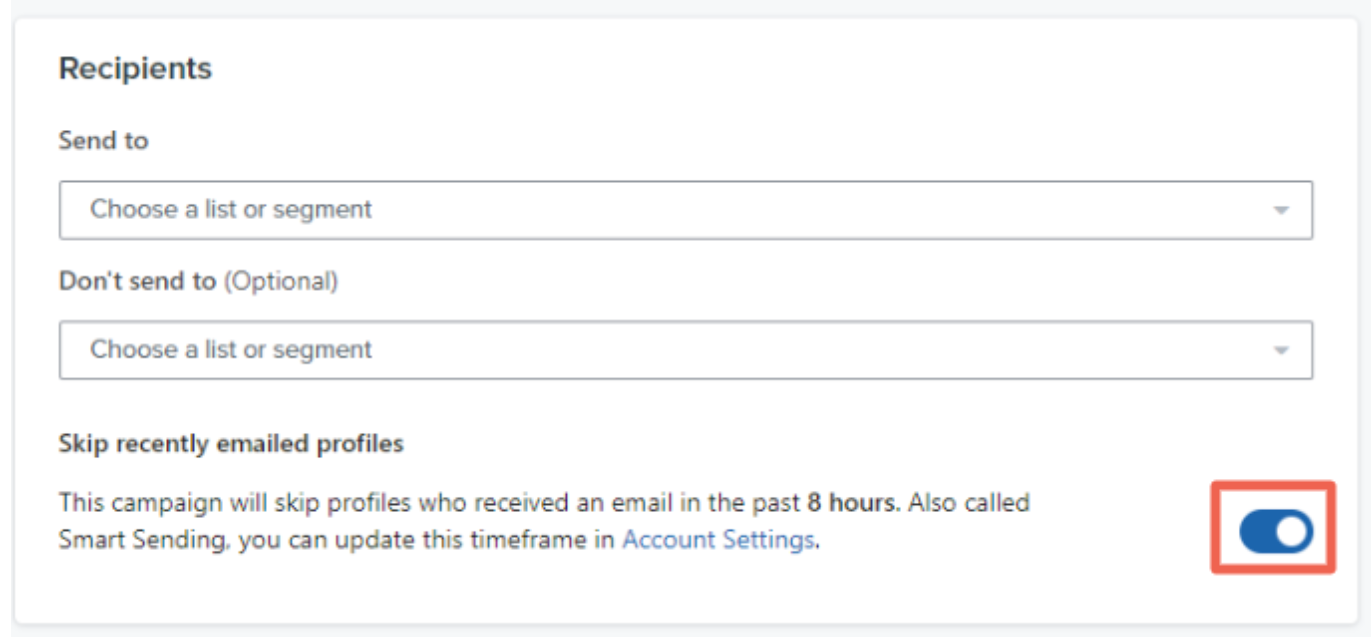
In step 1 of the campaign, toggle off the skip option for that channel. For email it reads Skip profiles who recently received an email. For SMS there are two, one for campaign messages and one for flow messages. For push it’s Skip profiles who recently received a push message.
How to turn Smart Sending off for a flow message
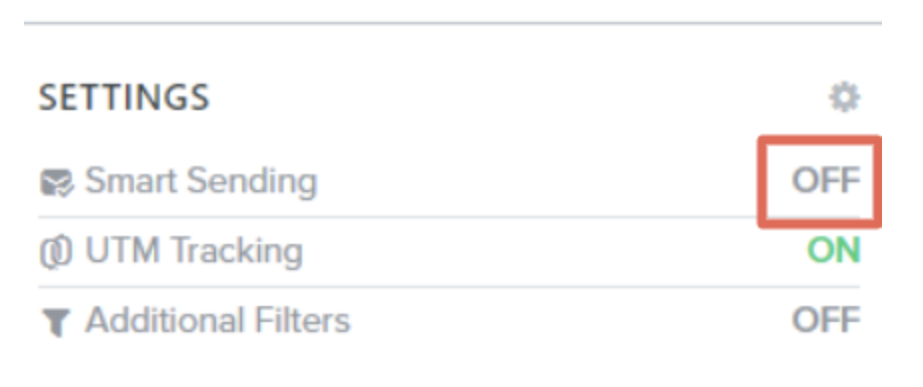
Open the individual message inside the flow, scroll to the Skip recently emailed profiles section, and switch Smart Sending off. It’s per message, not per flow, so a welcome series can have it off on the first email and on for the rest. You don’t toggle the whole flow.
One trap on SMS: Smart Sending uses the phone number, not the profile. If two people in a household share a number and that number has had a text inside the window, every message to it is skipped, whichever profile triggered the send.
What to use instead of toggling it off
Smart Sending gives you one window for every message, which is a blunt instrument. When the rule needs to differ by message, tag profiles as they move through a flow and exclude those tags from campaigns instead.
Custom property tagging writes a true or false value onto the profile when somebody enters or leaves a flow. That value is what you filter on later.
An exclusion segment is a segment built on those properties and then subtracted from a campaign’s audience. Anyone currently in the welcome flow can be held out of a promotion this way, without touching Smart Sending at all. The difference matters: an exclusion keeps the high-intent flow message and drops the interchangeable campaign, which is the right way round. Smart Sending, left alone, doesn’t know which is which and gets it backwards as often as not.
Does Smart Sending affect A/B tests?
Yes, and it can end one without telling you. If every recipient in the test pool gets skipped, Klaviyo cancels the A/B test automatically. No result is recorded and you have to resend the campaign to get one.
It’s most likely to happen exactly when you care most, because the weeks you’re sending heavily are the weeks windows overlap, and they’re also the weeks you’re testing.
Frequently asked questions
Is Smart Sending on by default in Klaviyo?
Yes. It’s on by default for every campaign, and it’s switched on inside many of Klaviyo’s pre-built flows.
What is the default Smart Sending window?
16 hours for email, 24 hours for SMS and 24 hours for push notifications. Each channel has its own window and they run independently.
Does Smart Sending delay messages or skip them?
It skips them. Skipped messages aren’t rescheduled and they’re never delivered later.
If Smart Sending skips a flow email, does the person get it later?
No. The profile is skipped at that step and carries on through the rest of the flow as though the message had been sent. You’d have to build a segment and send to them separately.
What is the difference between Smart Sending and Smart Send Time?
Smart Sending decides whether to send at all. Smart Send Time only decides which hour each person is sent at. A message blocked by Smart Sending is skipped; a message handled by Smart Send Time is simply scheduled.
What is the difference between Smart Sending and quiet hours?
Quiet hours delay a text until an acceptable hour, and then Smart Sending is checked. So a message can clear quiet hours and still be skipped, if the delay pushed it inside the recipient’s SMS window.
How do I see who Smart Sending skipped?
Klaviyo writes a Skipped Send event for every skipped recipient. Filter it on recipient_status equals NOT_SENT_THRESHOLD_VIOLATION, which is the Smart Sending value, and split by the send_source property to separate campaigns from flows.
Does Smart Sending apply to transactional messages?
No. Transactional messages are never skipped, and receiving one doesn’t start or extend anybody’s window.
Does changing the Smart Sending window apply to people already in one?
No. The change isn’t retroactive. Anyone who received a send under the old setting stays blocked for the length of the original window.
Does Smart Sending work across channels?
No. The windows are per channel and independent, so an email doesn’t block an SMS and an SMS doesn’t block an email.
Does Smart Sending affect A/B tests?
Yes. If every recipient in the test pool is skipped, the A/B test is canceled automatically, no result is recorded, and you won’t be told it happened.
How does Smart Sending work for SMS with a shared phone number?
SMS Smart Sending keys on the phone number rather than the profile. If a shared number has received a text inside the window, every message to that number is skipped, whichever profile triggered the send.
Should Smart Sending be on for every campaign?
For promotional campaigns and newsletters, yes. Turn it off for anything that’s time-sensitive or specifically requested, such as back in stock alerts, event reminders and the final email of a sale.
When does Klaviyo itself recommend turning Smart Sending off?
Klaviyo’s back in stock flow guide says to turn Smart Sending off for that message to ensure everyone gets the alert.
What percentage of sends does Klaviyo skip?
Across 11 accounts we manage, 2.95% of attempted sends were skipped over 90 days, which is about 1 in 34. The range was wide: 0.30% at the lowest account and 4.57% at the highest. That figure covers every skip reason, not only Smart Sending.
Sources
Every behavior described above is from Klaviyo’s own documentation, read on 4 October 2026, except the Skipped Send property values, which were read directly from the Klaviyo events API on the same date.
- Understanding Smart Sending in Klaviyo
- Understanding Smart Send Time in Klaviyo
- Understanding text message quiet hours in flows
- How to build a back in stock flow
Discover more articles
Head over to our blog page to discover our latest content on optimizing your email marketing strategy. If you liked this article you might also enjoy our Klaviyo double opt-in tutorial. Alternatively, go ahead and read our series on optimizing your welcome flow, your retargeting flows, and your post-purchase automations.
Flows like these are the everyday work of our email marketing agency service.